


Post deleted by User.
Morbid Mogblade / XimTool

|
You must be logged in to do that.
Morbid Mogblade / XimTool
I've added some functionality to XimTool (older versions are now linked in the node).
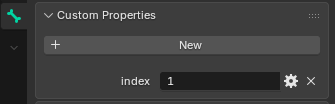
Under "Import Model", there's an option to import the skeleton from the .gltf file. This will detect any changes to the joints & any new joints, and add them to the skeleton. The tooltip describes some guidelines for how to safely add joints (mainly ensuring that they have sequential IDs, and not to remove/re-index existing joints - Blender reference for setting the joint's index). Using this, I was able to add a new joint above the head, and animate it to spin while sitting. Very rough, but demonstrates that it's possible with a skeleton-animation rather than a particle. Since no other mesh is weighted to that joint, it only has impact on the mesh I added. Also, there's a new "Workspace" tab. Currently, this can be used to revert changes to individual resources within a .DAT file, and make basic modifications to some resource types. The main purpose of the workspace is to allow making multiple changes to a single file (ex: changing multiple animations in the race/gender file). 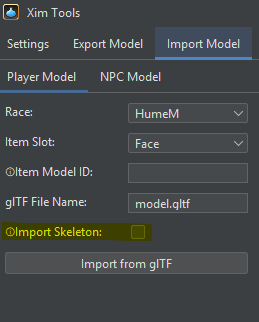
[+]

I tried simulating some of the emissive effects on FF14 armor - it works well enough when the vertices are only attached to a single joint (Mithra available here). This effect was done by adding two particles - one with a sharp version of the emissive texture, and one with a smaller, blurred version of the emissive texture (to make it "glow"). The particle mesh itself is a small cutout of those sections.
YouTube Video Placeholder --- XimTools workspaces now supports viewing/modifying Texture (palette, full color, compressed) & Environment (lighting, skybox, draw-distance, etc) resources in .DAT files. It's also a bit more flexible about importing textures from glTF folders - it'll try prefix matching and padding based on the mesh's diffuse material definition, so that you don't have to mess around with Custom Data in Blender (or at least not as much). I still highly recommend compressing .png into DXT1/DXT3 .dds.
[+]

RadialArcana said: » I think you made it private? Oops, I thought it was just unlisted. It should be fully public now. RadialArcana said: » A Japanese player did 18 years ago, also one of the trusts already has it (not proper physics, but animated bounce). this looks incredible.. is it possible for someone with no experience to do this? or am I awaiting the .dat swaps? lol
[+]

elotelo said: » this looks incredible.. is it possible for someone with no experience to do this? or am I awaiting the .dat swaps? lol Thanks! It should be possible for someone with no experience to modify meshes (especially existing FFXI meshes), but adding particle effects still requires writing a script and having a decent understanding of how particle generators work. I'm trying to think of what a reasonable UI would look like for those. RadialArcana said: » ... I can't seem to load my inbox due to the ongoing site issues, so I'll respond here regarding the map question. In FFXiMain.dll, there's a table that contains map metadata (currently at 0x595F0). In Xim, the class that loads & parses the table is ZoneMapTable.kt. The entries in the table contain information about:
Adjusting the size field by the same factor that you adjust the UI might work. Here's my port of the "Summer Sunset Beach Cover-up" from FFXIV. It occupies the body + hands slot, so it needs to be DAT swapped with something like the Hebenus Top ("cannot equip hand gear").
This port gave me a lot of trouble at first, but after spending more time learning Blender, I think I was able to get a reasonable result. I used the Shrinkwrap modifier, the Subdivision Surface modifier, and the Decimate modifier to make a base model & fit the clothes to it. I also used texture painting to add some shadows/contours to make up for FFXI's basic lighting engine, but now I wonder if I could've used Blender's renderer to calculate the shadows and bake them into the texture instead. YouTube Video Placeholder --- XimTools received a couple of minor updates. It now supports making basic edits to skeleton-mesh metadata in the workspace, and has some better error reporting.
[+]


Baking an ambient occlusion map is totally feasible in blender and a basic step in texture creation nowadays
[+]
Asura.Aamace said: » Here's a link to that code. It's not robust at the moment (the .obj parser is particularly bad), but it was able to create this mod without any need for hex-editing. Also, is it possible to use XimTool with Maya and the FBX file format instead of Blender and glTF? Asura.Rhianu said: » That link doesn't work for me. GitHub just says "aamace doesn't have any public repositories yet." Is the repository private? Ah, I took down the GitHub repository. The source code is available here, and contains the MogBlade/FireGlow mods. Asura.Rhianu said: » Also, is it possible to use XimTool with Maya and the FBX file format instead of Blender and glTF? I don't have access to Maya, so I'm not sure. I tried used Blender to convert the glTF to & from FBX (ensuring that Custom Properties are included), and it seems to work. I'll take a look at adding it to XimTool, but it probably won't be high priority if the work-around is functional. Asura.Aamace said: » I don't have access to Maya, so I'm not sure. I tried used Blender to convert the glTF to & from FBX (ensuring that Custom Properties are included), and it seems to work. I'll take a look at adding it to XimTool, but it probably won't be high priority if the work-around is functional. Asura.Rhianu said: » How difficult would it be to reprogram XimTool to work with Maya directly so that I could cut Blender out of my development pipeline? It would be difficult - however, automating the conversion using headless Blender was doable (though, still plenty of weird edge-cases...). The newest version (0.8) of the tool will automatically do the conversion based on the file name. This is only integrated in Export/Import Model for now. I tried it out with a free trial of Maya very briefly. When importing, the only setting I changed was Units -> Meters. I didn't change any settings on export. 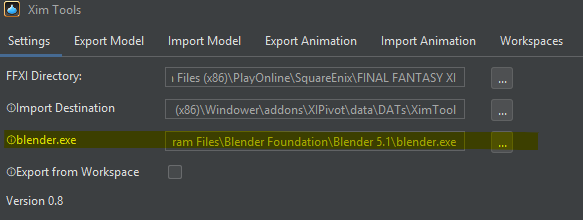 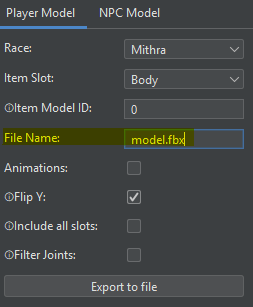 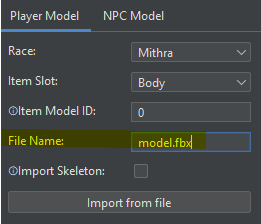 Huzzah! I finally got my custom sword to import properly!

[+]

I received a couple of requests for a guide, so I put together a quick tutorial to demonstrate a minimal mod. Feel free to ask any questions, or make suggestions about features / quality-of-life improvements.
YouTube Video Placeholder
[+]


Here's a basic tutorial on weapons, demonstrating a simple port from FFXIV (Polaris Point, without particles). I'll probably do another tutorial to demonstrate an armor port.
YouTube Video Placeholder
[+]
Here's the tutorial on the armor port - feel free to let me know if you'd like to see anything else:
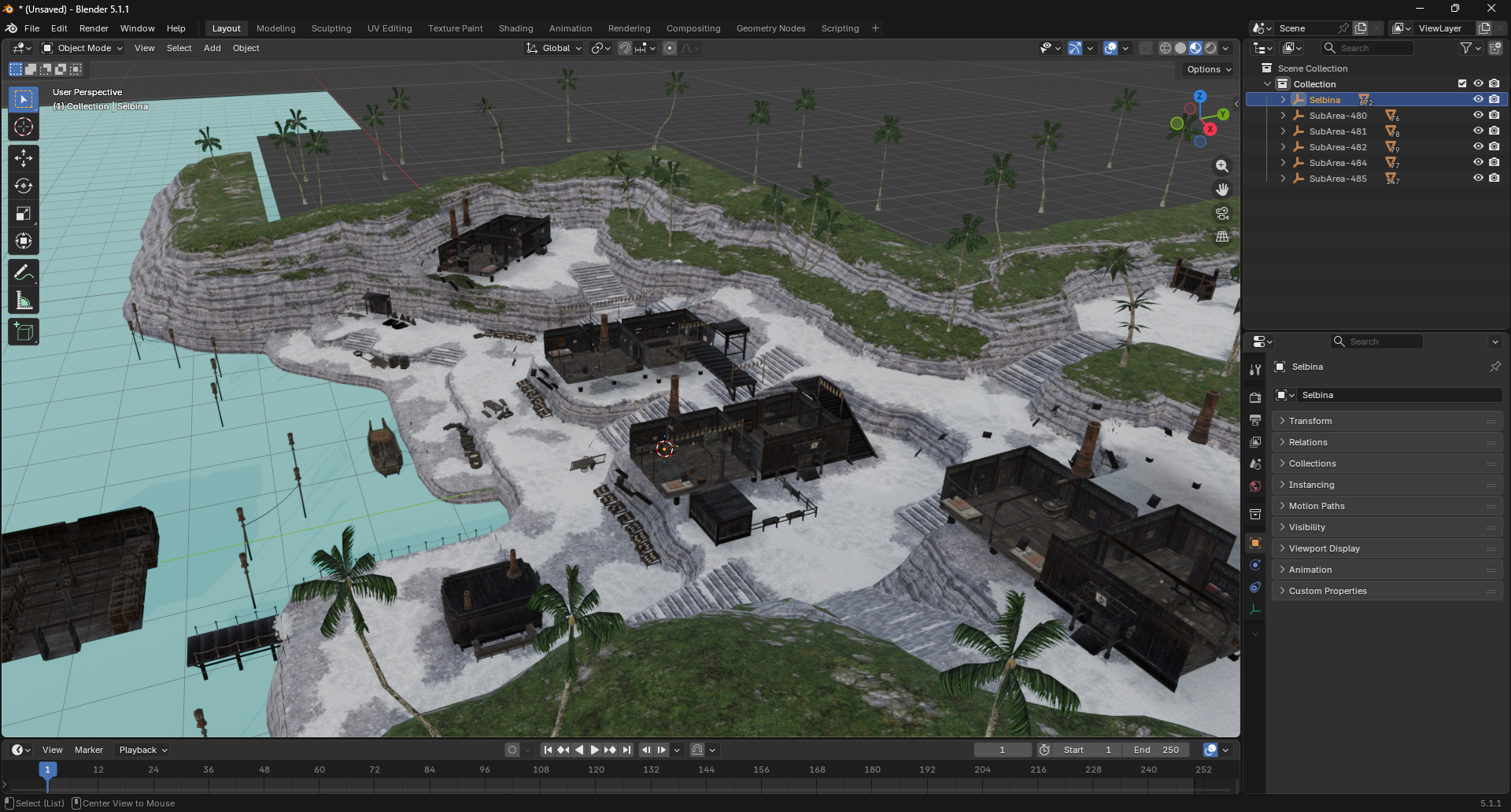
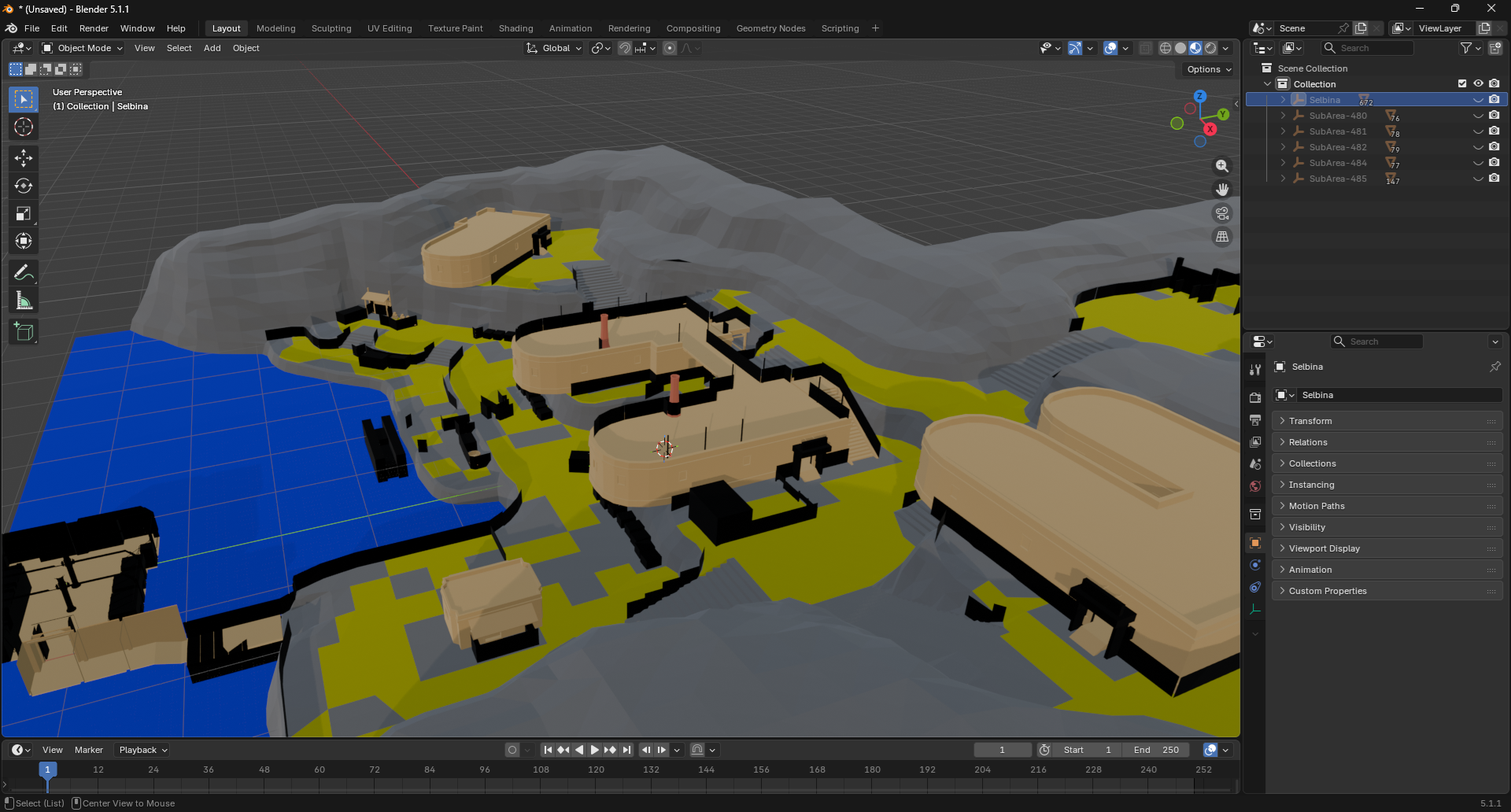
YouTube Video Placeholder Version 0.13 adds a menu for exporting zone-meshes, with options for sub-areas, collision, and bump-maps. Also, adds proper support for .glb exports, making it easier to import the assets into game-engines. Misc notes:
Selbina example: 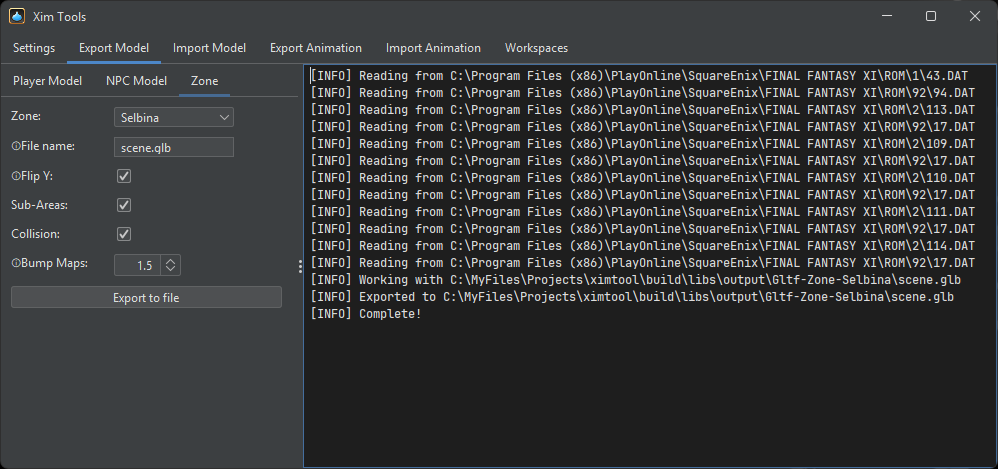 Zone scene (building exteriors hidden): Zone collision:
[+]


Bonkers, your work is always very impressive. First Xim, now this.
Next you're going to revive the new UI project that Square Enix scrapped. Right? ;)
[+]
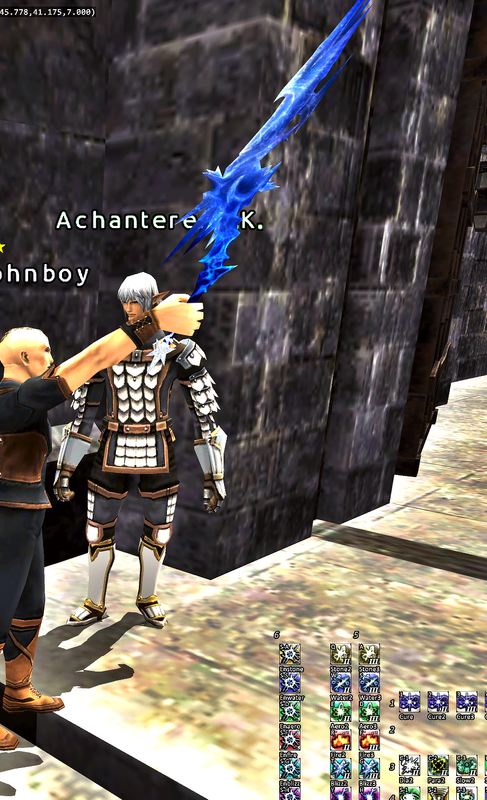
Thanks so much for the tutorial. I was able to follow it pretty well. Now i have a new Icebrand!
[+]
|







All FFXIV and FFXI content and images © 2002-2026 SQUARE ENIX CO., LTD.
FINAL FANTASY is a registered trademark of Square Enix Co., Ltd.